

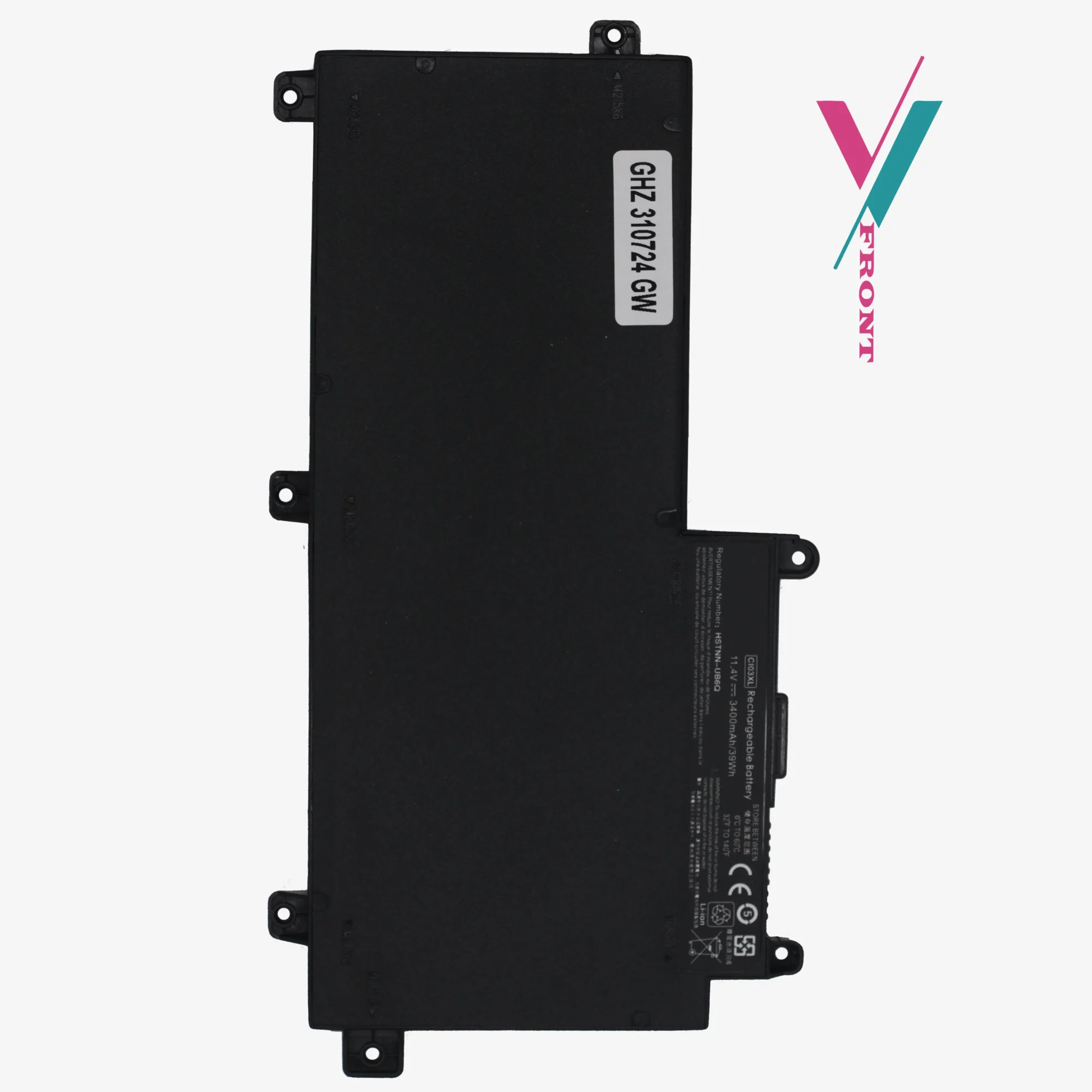
CI03XL Battery for HP ProBook 640 645 650 655 G2 G3 | Hewlett Packard Battery Replacement
$ 18.81
High-Output Efficiency for ProBook Series Designed for those who rely on their devices for critical tasks while on the move, this hewlett packard battery replacement offers the stability and longevity of a hp original battery. Built with premium Li-ion cells, the CI03XL model eliminates the frustration of sudden shutdowns and rapidly depleting charge levels. Comprehensive Technical Data Attribute Specification Model Number CI03XL / CI03 Chemistry Lithium-ion (Li-ion) Voltage 11.4V Watt-Hours 39Wh Certification CE, FCC, and RoHS Compliant Fitment Type Internal Replacement Extensive Compatibility Reference This unit is a direct match for a vast range of part numbers and sub-models. While we provide this list for reference purposes, it is not exhaustive. If your specific code isn’t listed, simply reach out to us for a verified match. Cross-Reference Part Numbers: Standard Codes: CI03, CI03XL, C103XL, CIO3XL, CI03048XL, CIO3, T7B31AA HP Spare Numbers: 801554-001, 801554-002, 801517-541, 801517-221, 801517-222, 801517-231, 801517-232, 801517-241, 801517-242, 801517-421, 801517-422, 801517-831 Regulatory Codes: HSTNN-UB6Q, HSTNN-LB6T, HSTNN-PB6K, HSTNN-DB7N, HSTNN-I66C-4, HSTNN-I66C-5U, HSTNN-I66C-5H, HSTNN-I67C-4, HSTNN-I67C-5 Guaranteed Fitment & Protection We’ve removed the risk of online parts shopping with us. We provide a 7-day return guarantee (subject to policy), if the battery does not integrate with your hardware as expected. However, you can avoid the return process entirely by using our “Verify Compatibility” tool. A quick confirmation with us ensures that the battery you receive is the exact one your ProBook requires, giving you total peace of mind from the moment you click buy. Frequently Asked Questions Is the CI03XL battery compatible with both G2 and G3 ProBook models? Yes. This battery is specifically engineered to bridge the HP ProBook 640/645/650/655 G2 and G3 series. It matches the physical dimensions and voltage requirements across these generations. Can I use this battery if my current one is rated at 46Wh instead of 39Wh? Absolutely. The difference between 46Wh and 39Wh is a slight variation in energy capacity; the voltage (11.4V) remains the same. This hp original battery grade replacement will function perfectly and may even provide a slight boost in runtime. What does “Internal Replacement” mean for installation? Unlike older “snap-in” batteries, the CI03XL is located inside the laptop chassis. While it is a straightforward process, it requires opening the back panel. If you are unsure about the procedure, our team can guide you through it. How do I prevent buying the wrong battery for my specific ProBook? Laptop manufacturers often change battery specifications within the same model series. To ensure you receive a compatible hp spare battery replacement, we recommend checking your specific Part Number (P/N) against our list. But for a 100% error-free purchase, use our “Confirm Compatibility” feature to have our experts verify the fit for you. What is the policy if the battery does not fit? Your purchase is protected. If the battery is incompatible, we offer an easy 7-day return (policy) from the date of purchase. However, the most efficient way to avoid downtime& returns is to consult with us before you buy. Professional Battery Calibration Guide To ensure your laptop’s software accurately reports the remaining charge and to maximize the lifespan of your new hewlett packard battery replacement, we recommend following this calibration procedure after installation: Full Charge: Plug in your power adapter and charge the battery to 100%. Once full, keep it plugged in for at least two more hours to ensure the cells are completely saturated. Discharge: Unplug the laptop and use it normally until the battery level drops to approximately 5%. (Avoid letting it hit 0% frequently, as this can stress Li-ion cells). Rest Period: Let the laptop sit for about an hour in its low-battery state. Recharge: Plug the adapter back in and charge it uninterrupted to 100%. Pro Tip: If your laptop shows “Plugged in, not charging” after installation, it may be a firmware sync issue rather than a hardware defect. Before initiating a return, contact us to speak with a technician who can walk you through a quick reset.